
Features
CAD Scan combines powerful automation with intelligent checking to transform your CAD QA process. Here's how we make it happen.
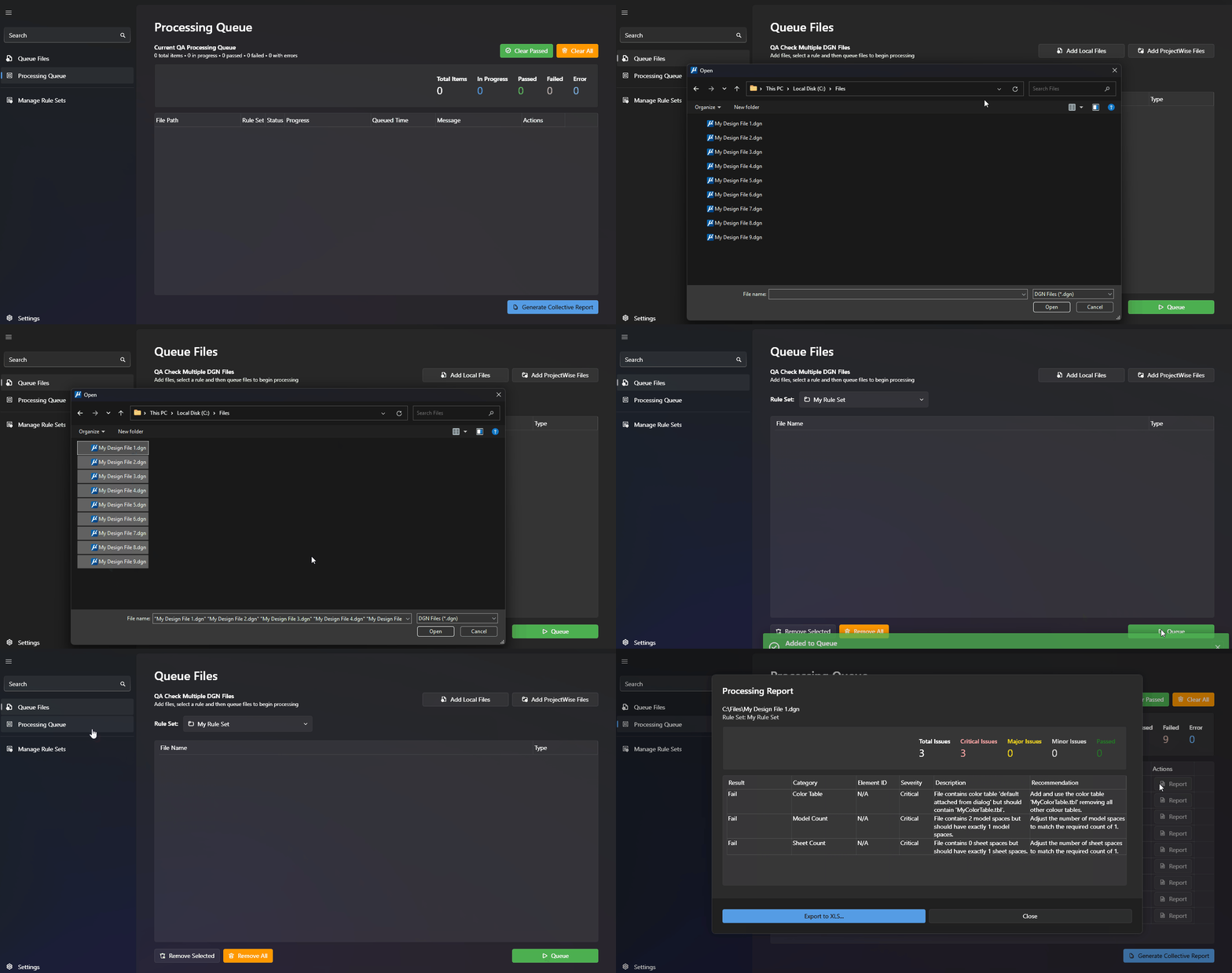
Batch Processing Power
Process multiple files efficiently from ProjectWise or local directories.
Drag and drop your local and/or ProjectWise files and let CAD Scan handle the heavy lifting.
You'll see detailed progress tracking and error reporting live on screen.
Customisable Rule Sets
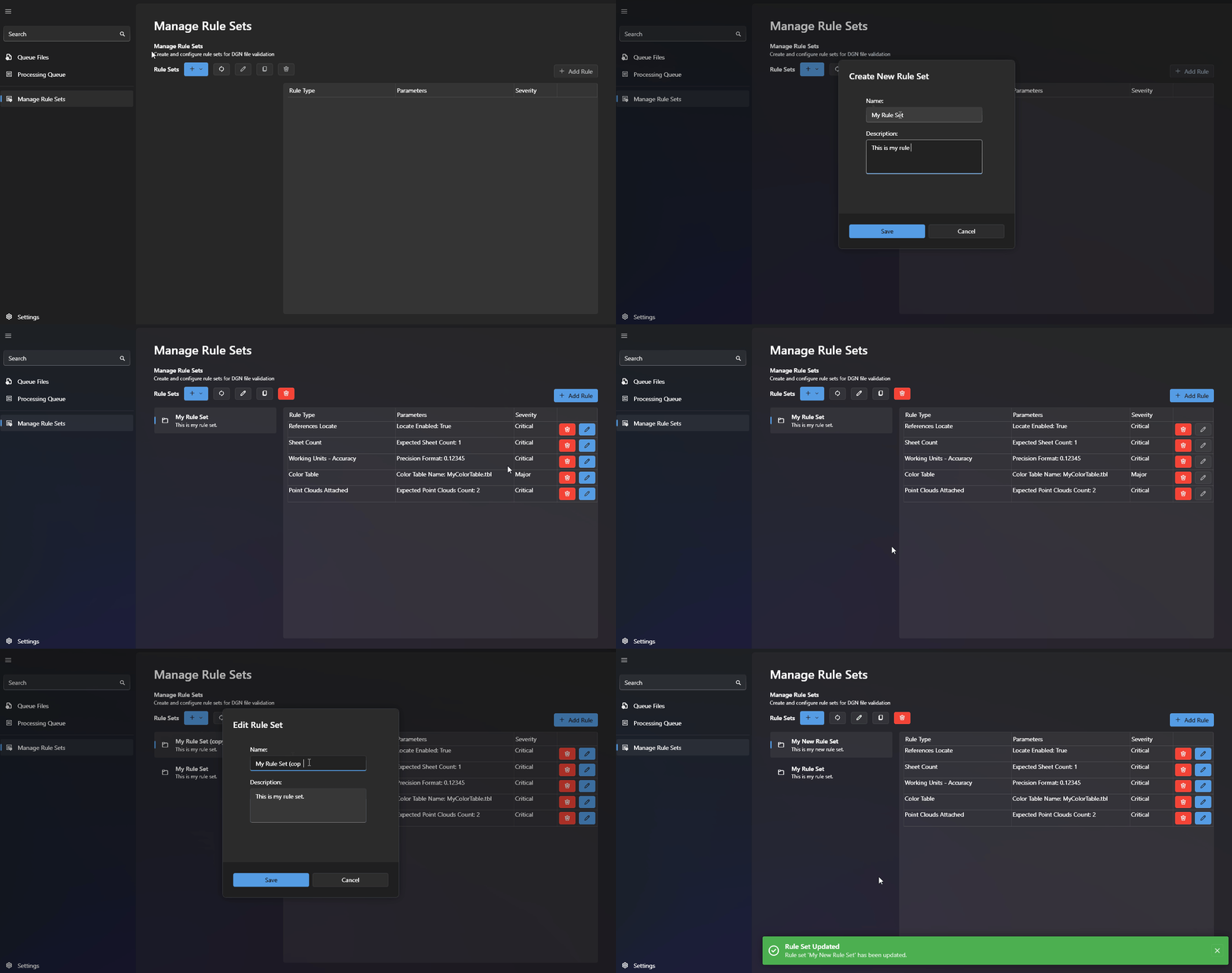
Create and manage project-specific Rule Sets with ease.
Clone and edit existing Rule Sets and deploy updates instantly across your team.
Powerful Reporting
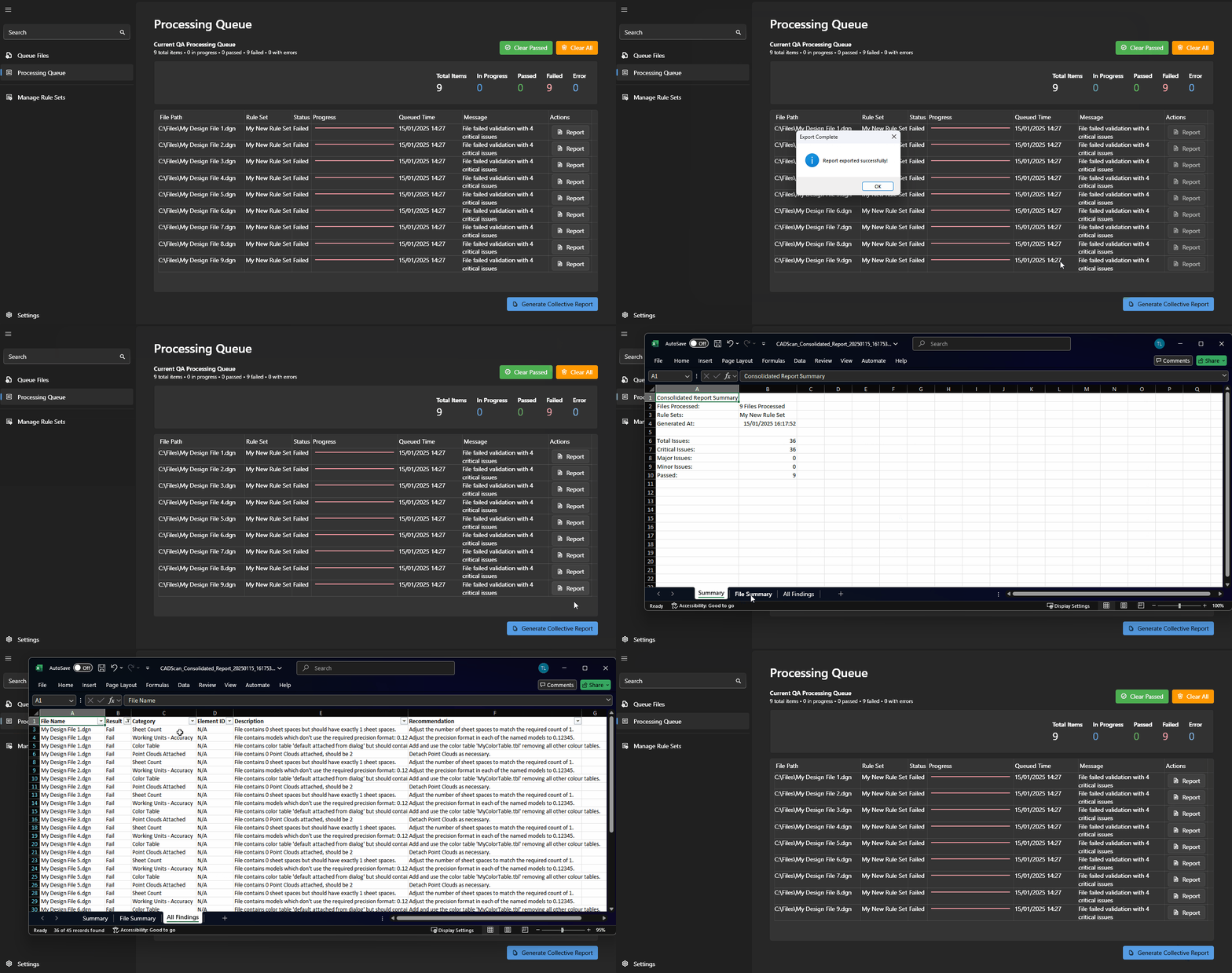
Reports Generated in Real Time
Detailed reports for individual files and batches of files, on screen and exportable to Microsoft Excel.

Cloud Rule Sets
Share cloud-based rule sets across your organisation. Protect rule sets with permission-based access.
Create a centralised library of rule sets.
Implement updates instantly.
Seamless Integration
Works natively with MicroStation and ProjectWise. No complex setup, no IT hassles, just powerful CAD QA that fits right into your existing workflow.


Intelligent Checking
From level libraries to text styles, CAD Scan verifies every aspect of your drawings against your standards. Get specific element IDs for any issues, making corrections quick and precise.